ClickityClank creates agentic project rooms where every Discord channel has a job: frontend, backend, QA, ops, handoff, or whatever your project needs. Each room gets its own customisable Hermes or OpenClaw agent, wired with the right context, skills, and runtime policy.
npm install -g clickityclank
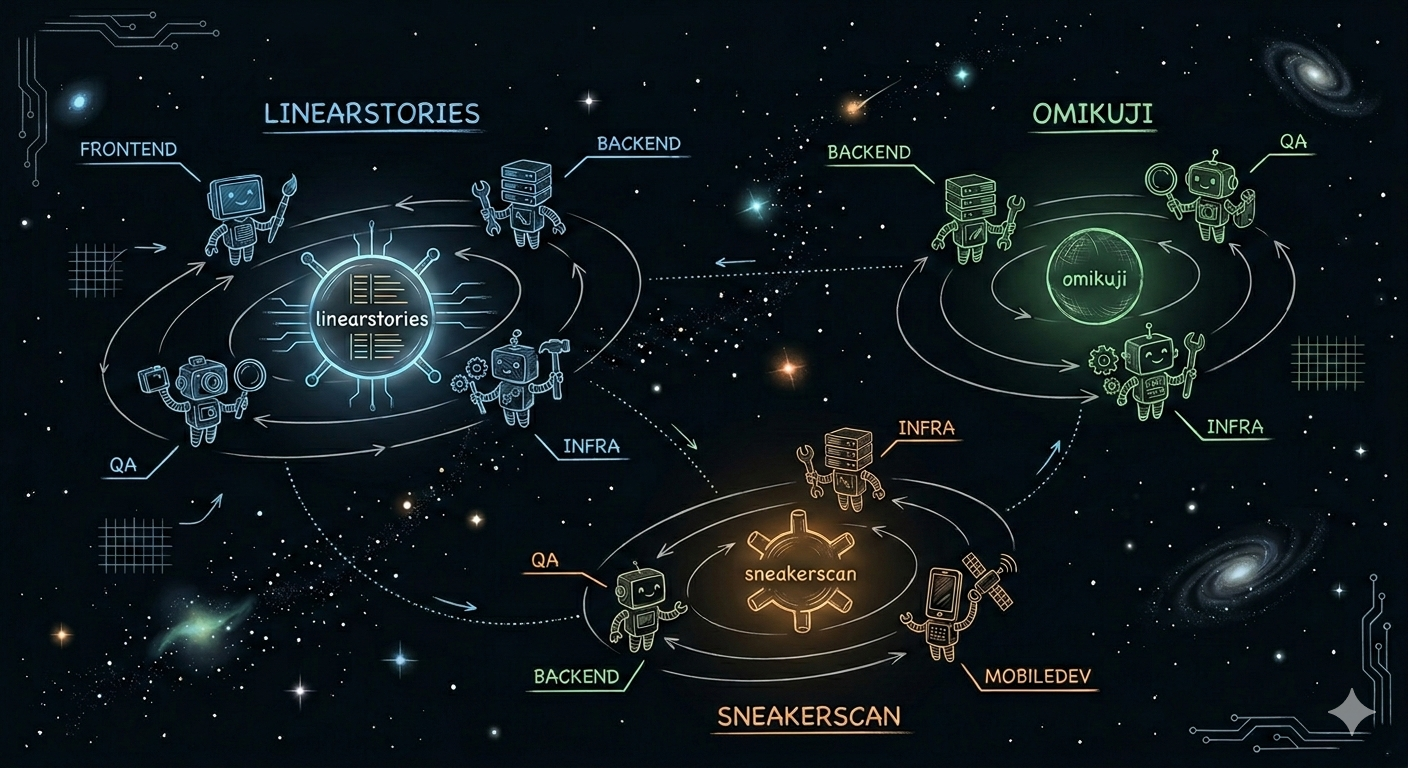
ClickityClank is now a project workspace lifecycle tool for OpenClaw and Hermes-backed agent teams. It turns a manifest into a Discord category with specialist channels, then keeps the workspace inspectable and repairable.
A project can have channels like #frontend, #backend, #qa, #ops, or #handoff. Each channel maps to a role-specific agent and runtime policy.
The operating model is deliberately controlled: generate a plan, inspect JSON, apply only known managed keys, verify live state, and repair drift without surprise destructive actions.
Use flags or a YAML manifest to define project name, runtime, repo, and channel→agent mappings.
Preview Discord channels, OpenClaw bindings, Hermes route changes, additions, removals, and field-level diffs before writing.
Create the workspace, generate runtime artifacts, and safely merge Hermes config with backups and validation.
Verify channels, config, routes, context files, workdirs, bindings, and skills; generate explicit repair plans when drift appears.
OpenClaw remains supported: ClickityClank creates Discord categories/channels, wires bindings and scopes, creates project-scoped agent IDs with shared role bot accounts, renders templates, and provisions per-channel workspaces.
Hermes support now goes beyond fragment generation: ClickityClank writes project context, channel prompts, skill bindings, free-response settings, no-thread settings, and can safely apply managed config into ~/.hermes/config.yaml.
Per-channel Hermes modes let #chat stay lightweight, #qa stay balanced, and #backend or #ops carry the project context, skills, and policy they need for heavier work.
A controlled lifecycle for agent workspaces, not a chat command that mutates infrastructure blindly.
Create a manifest with runtime, repo, defaults, and channel/agent mappings.
Run create or sync with --plan --dry-run --json, then apply when the diff is right.
Check live Discord/runtime state and generate safe repair plans for drift.
ClickityClank now covers the full workspace loop: setup, project creation, safe Hermes apply, manifest sync, verification, repair, and request-to-manifest conversion.
Validate Discord tokens, guild access, permissions, local runtime availability, roles, and defaults before provisioning a workspace. Tokens stay in env/flags, not defaults files.
Create Discord project categories and role channels from explicit channel→agent mappings for either OpenClaw or Hermes runtimes.
Use fast, balanced, or deep runtime policies per channel to tune speed, reasoning depth, model policy, and tool access.
Merge generated config into live Hermes with backups, validation, rollback, dry-run JSON, and route verification. Only ClickityClank-managed keys are touched.
Treat the manifest as desired state. Preview additions, removals, unchanged channels, and field-level route changes before applying.
Convert structured Discord-originated workspace requests into validated ClickityClank manifests for review and dry-run planning.
ClickityClank is designed for operators who want automation without hidden side effects.
Run clickityclank setup to check token presence/auth, guild access, permissions, runtime availability, selected runtime, roles, and defaults path.
clickityclank hermes apply backs up live config, merges managed paths only, runs hermes config check, rolls back on failure, and can verify expected route keys.
Sync compares current state to desired manifest state with additions, removals, retained, changed, and unchanged buckets plus field-level route diffs.
Verify checks Discord channels, category relationships, routes, fragments, live Hermes config, bindings, context files, repos, workspaces, and skills.
Repair distinguishes applied and skipped repairs. It does not silently delete channels, overwrite context files, or restart gateways.
Structured chat requests can become manifests, but mutation still flows through validation, dry-run planning, and explicit apply.
ClickityClank keeps infrastructure changes explicit: Discord can initiate a request, but manifests, dry-runs, config checks, and deliberate apply steps keep operators in control.
Create a manifest, preview the workspace, apply runtime config safely, then verify and repair drift as the project evolves.
Check Discord token presence/auth, guild access, permissions, runtime availability, roles, and defaults path before provisioning.
Use a manifest or explicit maps to define runtime, repo, defaults, and channel-specific agent routing.
Create the workspace, safely apply Hermes config where needed, then verify Discord/runtime state with structured findings.
Treat manifests as desired state. Preview additions/removals and generate safe repair plans when live state drifts.
# 1. Guided setup, no writes
clickityclank setup \
--guild-id $DISCORD_GUILD_ID \
--runtime hermes \
--roles frontend,backend,qa \
--dry-run --json
# 2. Create from manifest, preview first
clickityclank project create sneakerscan \
--guild-id $DISCORD_GUILD_ID \
--maps-file sneakerscan.yaml \
--plan --dry-run --json
# 3. Apply Hermes config safely
clickityclank hermes apply sneakerscan \
--dry-run --json
clickityclank hermes apply sneakerscan \
--verify --json
# 4. Keep it healthy
clickityclank project verify sneakerscan --json
clickityclank project repair sneakerscan \
--plan --dry-run --json
# Optional: request to manifest
clickityclank project manifest from-request \
--request-file request.yaml \
--output manifest.yaml \
--json